Magic Mouse Review: 3 Years Later
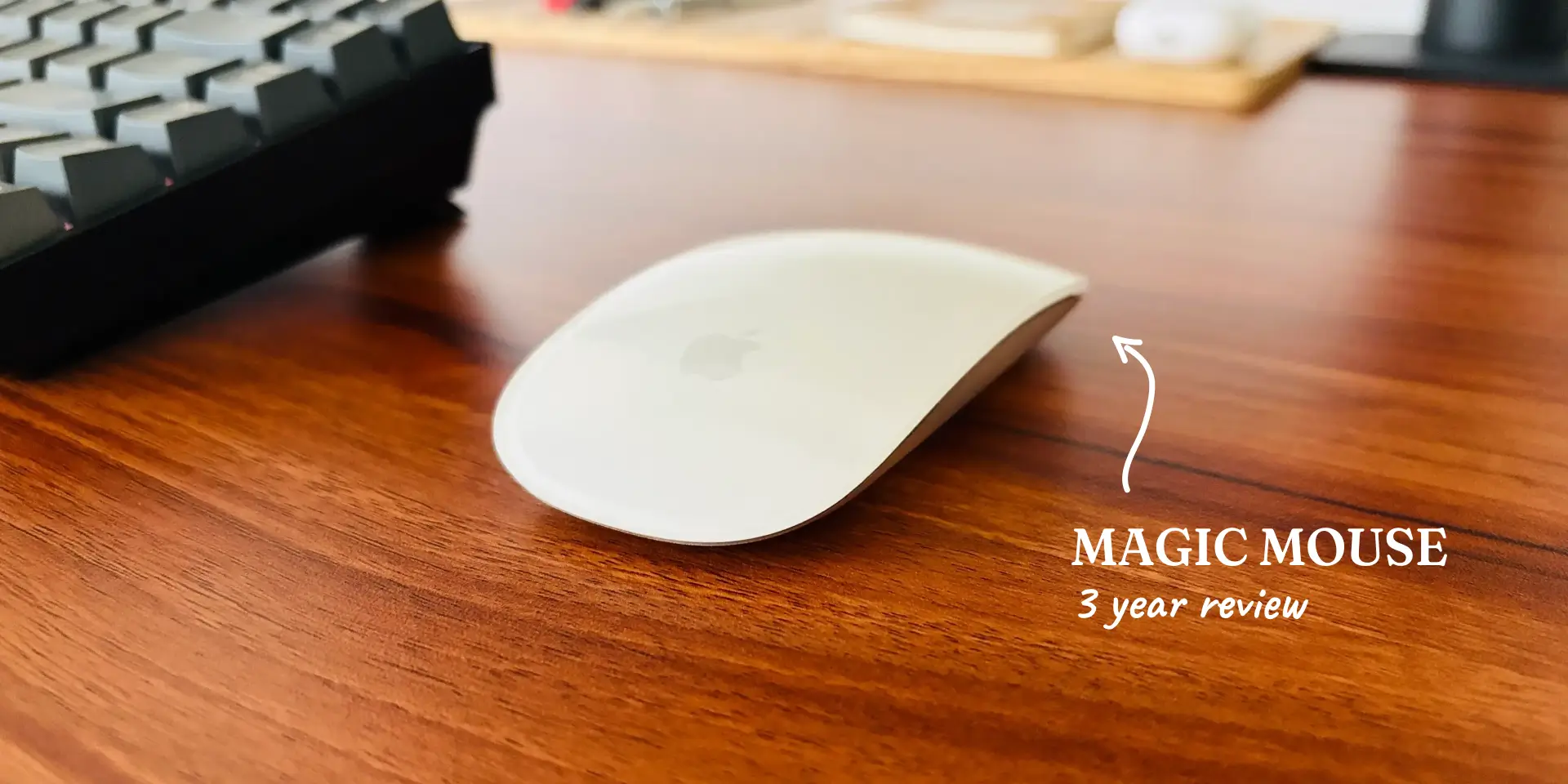
The Magic Mouse is one of those products that sparks endless debate. Some people love it, others can’t stand it. After using it every day for the last three years, I fall firmly into the first camp.
For me, it’s been one of the most reliable accessories I’ve ever owned. No connectivity issues, no lag, no battery anxiety, and surprisingly, no visible wear and tear despite years of heavy use. It has even survived a few accidental drops without any damage.
Here’s my experience after three years of daily use as a designer.
Build Quality
The build quality is exceptional.
After three years:
- No discoloration
- No loose parts
- No strange creaks
- No visible material degradation
The combination of the smooth top surface and aluminum base still feels premium every time I pick it up.
It has also survived multiple accidental drops onto hard flooring without damage. Early on, I was convinced the surface would crack if it ever fell. Fortunately, that fear turned out to be unfounded.
This thing is built far better than it looks.
Design & Aesthetics
Apple products often blur the line between technology and art, and the Magic Mouse is no exception.
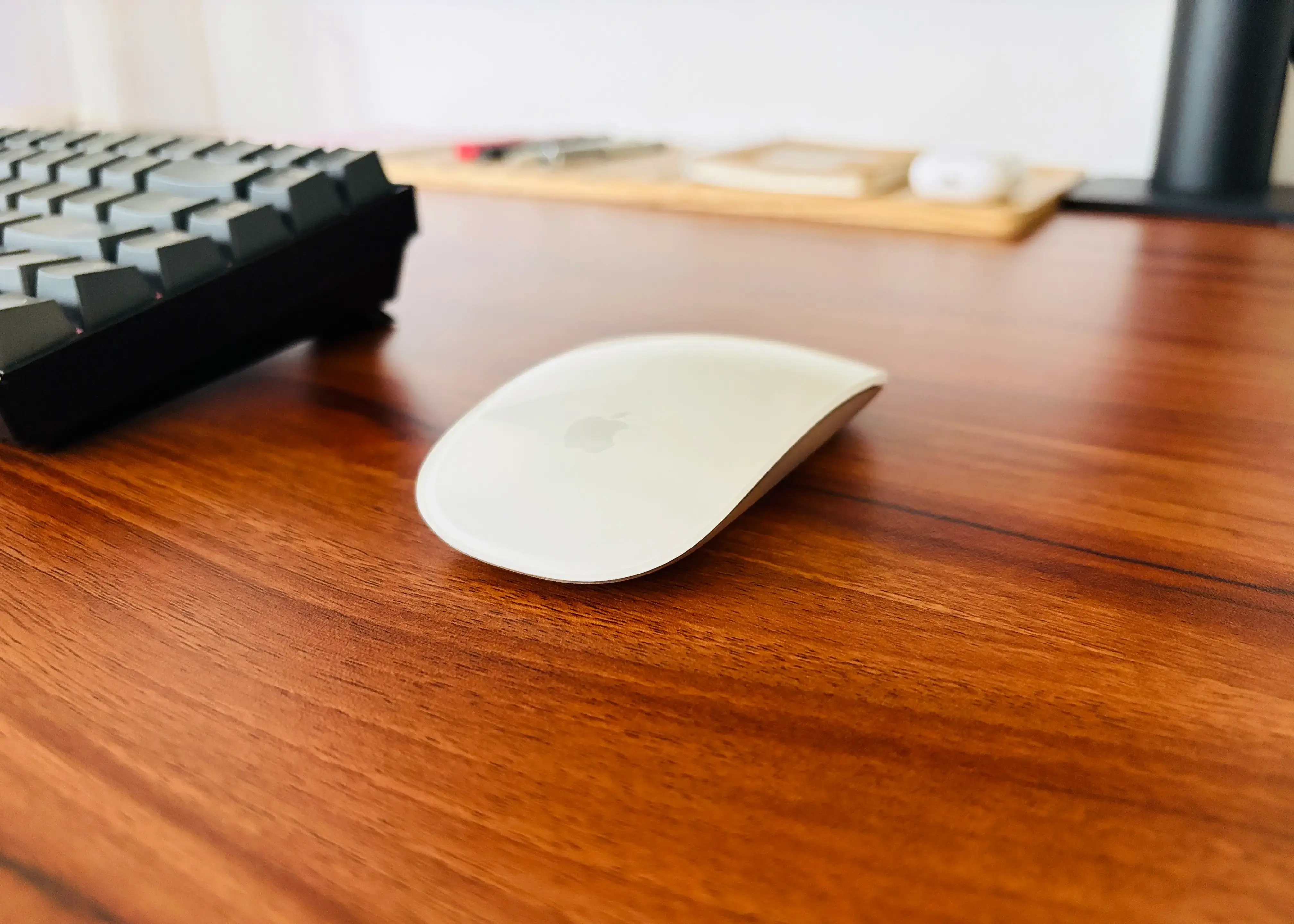
The seamless design, glass-like top surface, and aluminum base make it feel more like a sculpted object than a computer accessory. Even after three years, I still enjoy looking at it on my desk.
Despite dropping it a couple of times, the surface remains scratch-free and looks almost new. That’s impressive considering how delicate it appears at first glance.
It isn’t just a mouse. It’s one of those products that quietly elevates the overall desk setup experience.
Designer Perspective
As a product designer, the Magic Mouse feels very different from traditional mice.
Most mice are designed around buttons and wheels. The Magic Mouse is designed around gestures.
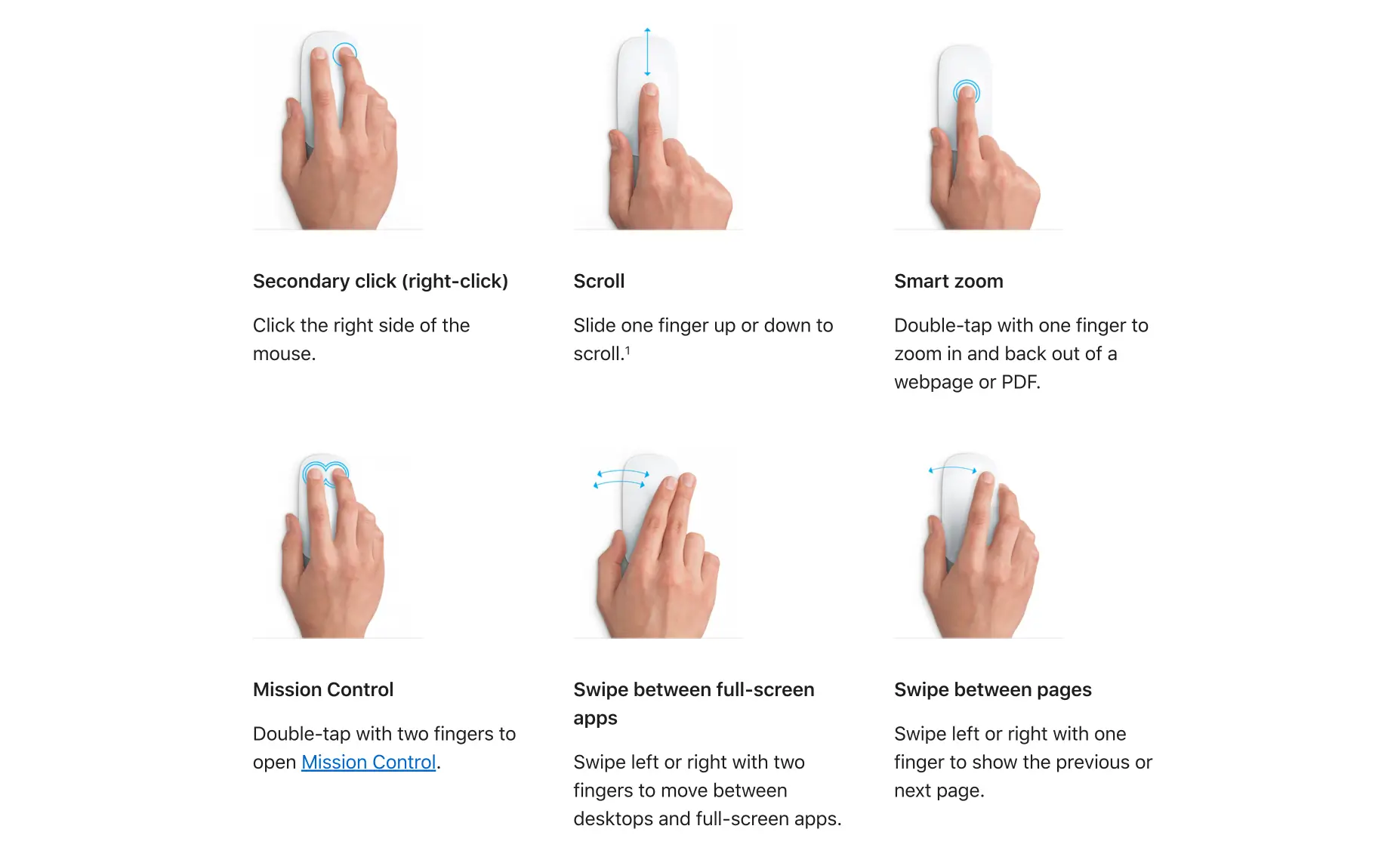
The touch-sensitive top surface allows you to navigate large Figma canvases, scroll naturally in any direction, and move around interfaces without constantly repositioning your hand. It almost feels like a hybrid between a mouse and a trackpad.
One of my favorite aspects is how fluid the interaction feels. Instead of reaching for a scroll wheel, the entire surface becomes an input area.
If you use apps like BetterTouchTool, things become even more interesting. You can assign custom actions to:
- Two-finger taps
- Three-finger taps
- Custom gesture combinations
This opens up workflows that most traditional mice simply can’t offer.
My only wish is that Apple would add a Taptic Engine. Since the entire surface is touch-sensitive, subtle haptic feedback would make gestures and taps feel even more immersive.
Connectivity
Apple’s ecosystem advantage is very apparent here.
The mouse connects via Bluetooth and instantly reconnects whenever it’s switched on. In three years, I haven’t experienced lag, random disconnects, or pairing issues.
It simply works.
The one limitation is multi-device support.
Unlike Logitech mice, you can’t quickly switch between multiple devices with dedicated buttons. You need to disconnect and reconnect manually when moving between machines.
For users who regularly jump between multiple computers, that could be frustrating.
Since I primarily use it with my personal Mac, it has never been a major issue for me.
Ergonomics & Comfort
This is probably the most controversial aspect of the Magic Mouse.
Personally, I’ve never experienced hand strain or discomfort while using it. It’s lightweight, easy to move around, and comfortable during long work sessions.
That said, ergonomics are highly subjective.
Before switching to the Magic Mouse, I used a smaller Logitech mouse, so adapting to the shape was fairly easy for me. If you’re coming from a large ergonomic mouse like the MX Master series, your experience might be very different.
For my hand size and workflow, it has been perfectly comfortable.
Gestures
The gesture support is what truly separates the Magic Mouse from almost every competitor.
The top surface isn’t just a shell. It’s a giant touchpad.
Scrolling feels incredibly smooth and natural. Swiping between pages and navigating through macOS becomes second nature after a few days.
Once you start relying on gestures, going back to a traditional mouse can feel surprisingly limiting.
Again, the only thing missing is haptic feedback. A Taptic Engine would make every gesture feel more tactile and satisfying.
Battery Life
The battery life is extraordinary.
In three years of ownership, I’ve never turned on the mouse and discovered it was unexpectedly dead.
With daily usage of around 8 to 10 hours, a single charge regularly lasts over a month. Sometimes it stretches close to two months.
macOS also does a great job of keeping you informed:
- Battery percentage is always visible.
- Notifications appear when the battery gets low.
- Recharge reminders start appearing before it becomes a problem.
Battery anxiety simply doesn’t exist with this mouse.

Charging Port
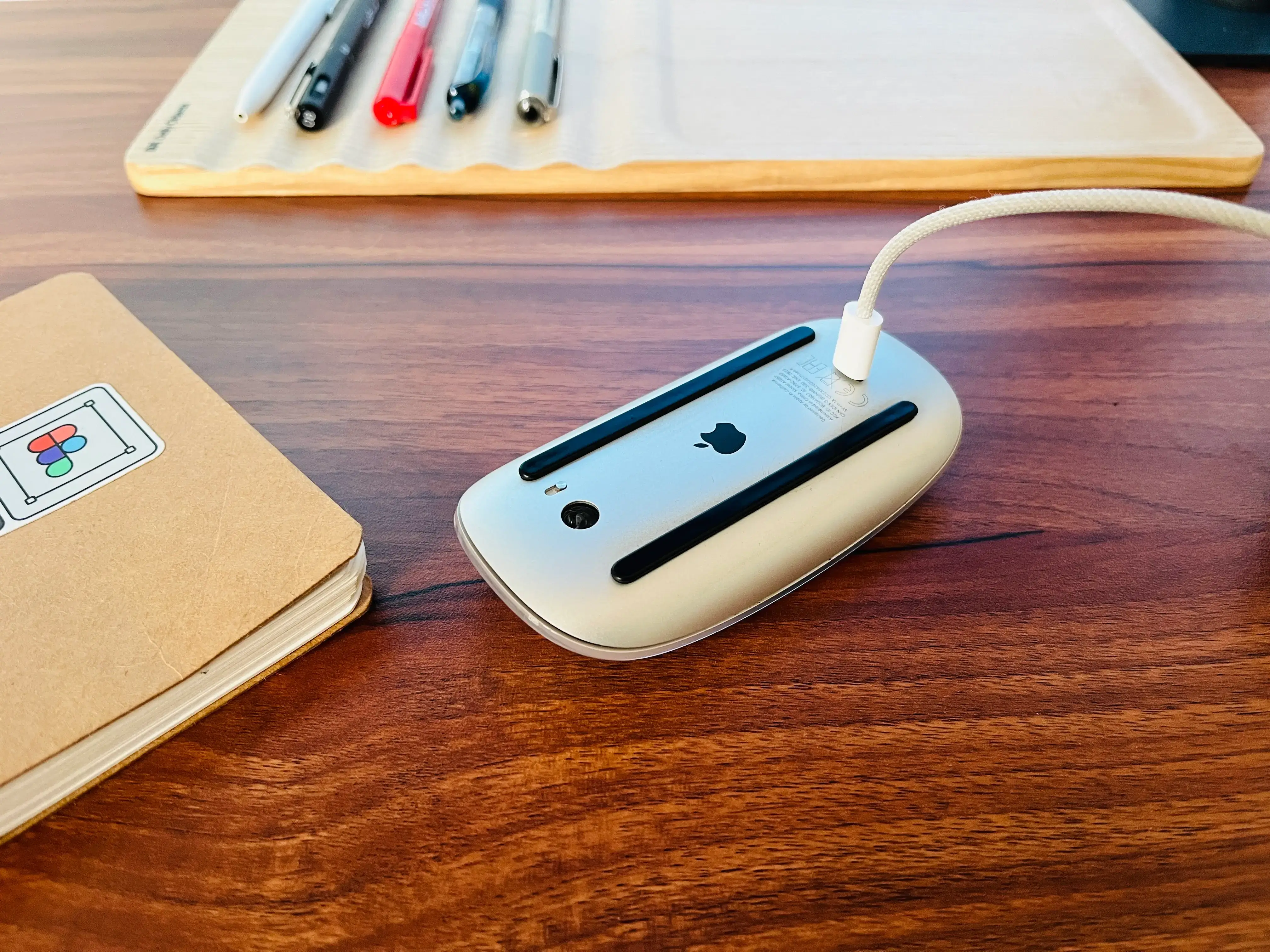
The charging port placement is probably the most criticized part of the Magic Mouse.
Honestly, I’ve never found it to be a real problem.
Most criticism comes from people who focus on the design decision without actually living with the product. In practice, the battery lasts so long that charging becomes an occasional task rather than a recurring inconvenience.
The only issue for me is that my entire setup has moved to USB-C. The Magic Mouse is now the only accessory that still requires a Lightning cable, which means I need to keep one around.
Thankfully, because charging is so infrequent, it’s rarely an inconvenience.
Looking at the design itself, it’s easy to understand why Apple placed the port underneath. The mouse is essentially a continuous curved surface made from a touch-sensitive top shell and an aluminum base. There aren’t many locations that would preserve the clean aesthetic.
Could Apple have solved it differently? Probably.
Has it ever negatively affected my experience? Not really.
Price
I bought the Magic Mouse for ₹6,399 ($79.00).
At the time, it felt expensive for a mouse.
Looking back, after three years of daily use, I think it has justified every rupee.
The premium materials, gesture support, battery life, reliability, and build quality have all contributed to a product that still feels modern years later.
When a device disappears into your workflow and continues to work flawlessly for years, that’s usually a good sign that it was worth the investment.
Final Verdict
The Magic Mouse won’t be for everyone.
If you prioritize aggressive ergonomics or need seamless multi-device switching, there are better options available.
But if you’re deeply invested in the Apple ecosystem and value gestures, simplicity, build quality, and design, it’s a fantastic tool.
💖 What I love
- Beautiful design
- Incredible battery life
- Excellent gesture support
- Seamless Mac connectivity
- Premium build quality
- No reliability issues after 3 years
💬 What I wish Apple improved
- Multi-device switching
- Taptic Engine for gesture feedback
Would I buy it again?
Absolutely! Three years later, it still feels less like a mouse and more like a carefully crafted extension of macOS. 🍏✨